Everything eaasycount does.
Accounting, stock, serial numbers, reading bills, e-Invoice and payroll, in one login.
Double entry, done for you.
Every invoice, bill, payment and payroll run posts its own journal.
- Chart of accounts and SST codes ready on day one.
- P&L, balance sheet, trial balance and cash flow, live.
- Bank reconciliation, aged debts, year-end closing.
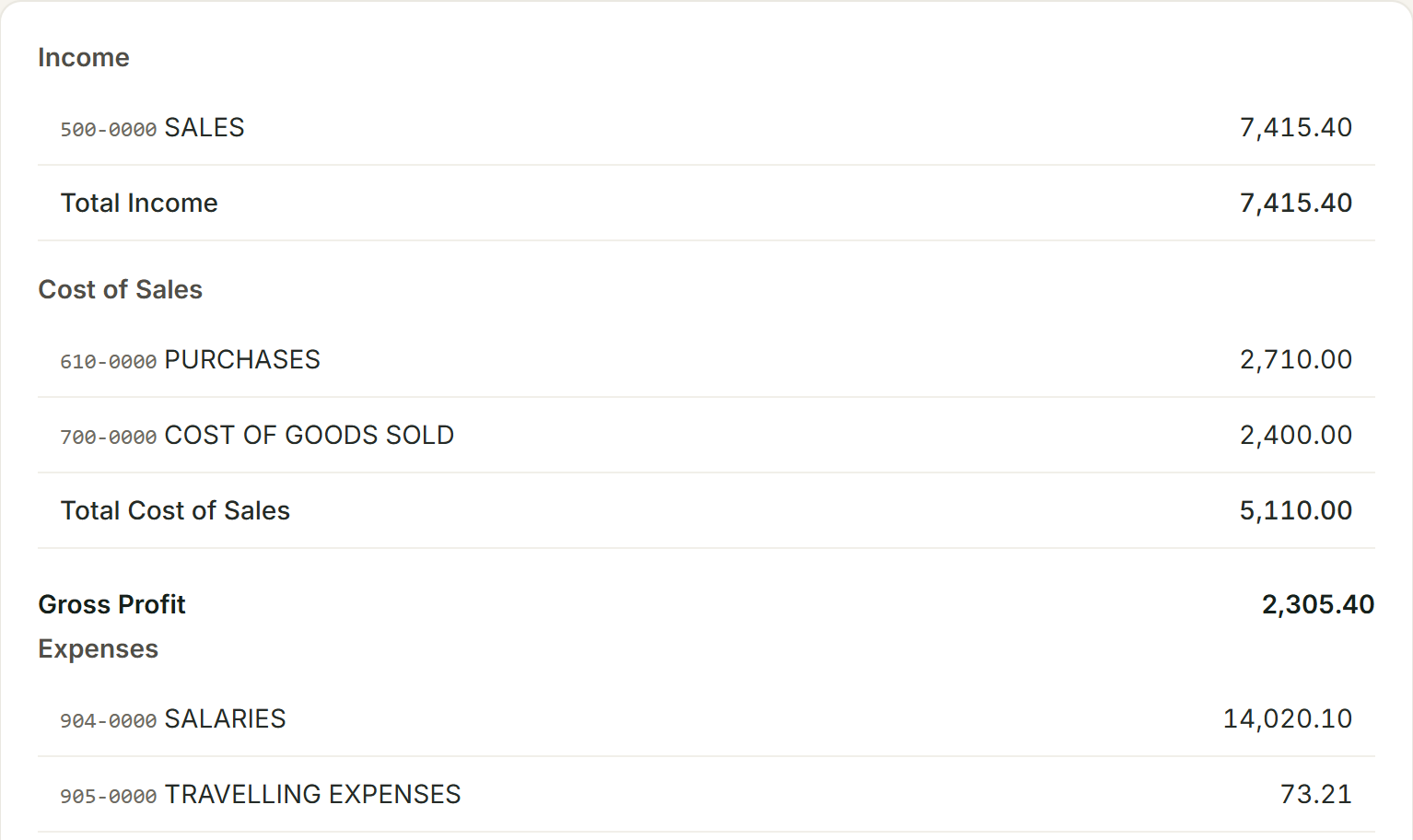
Every item keeps its own stock card.
Every move in and out, with its running balance and cost.
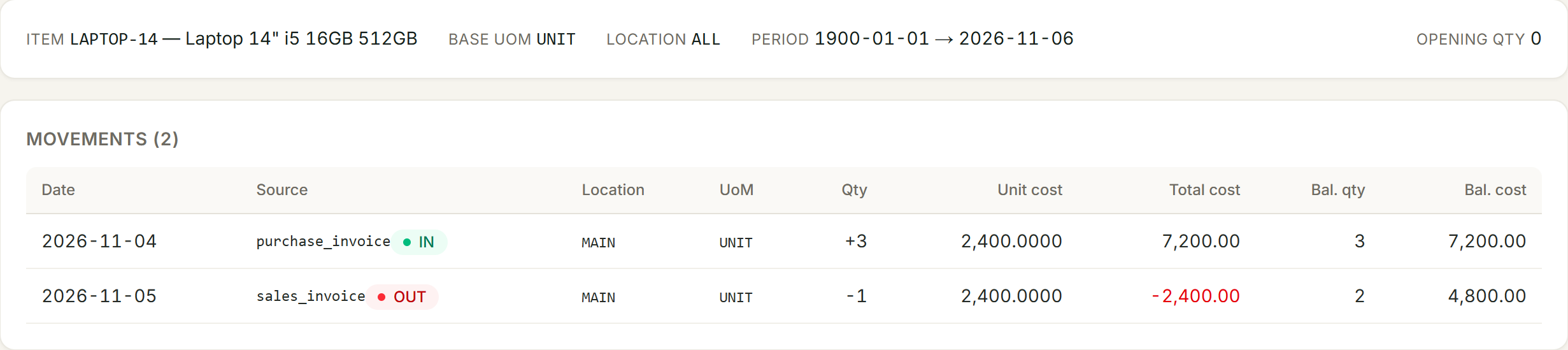
Costed as it moves
Weighted average cost on every sale.
Locations and units
Warehouses and transfers. Buy by the carton, sell by the piece.
Scan to enter
Barcodes and item search on every entry screen.
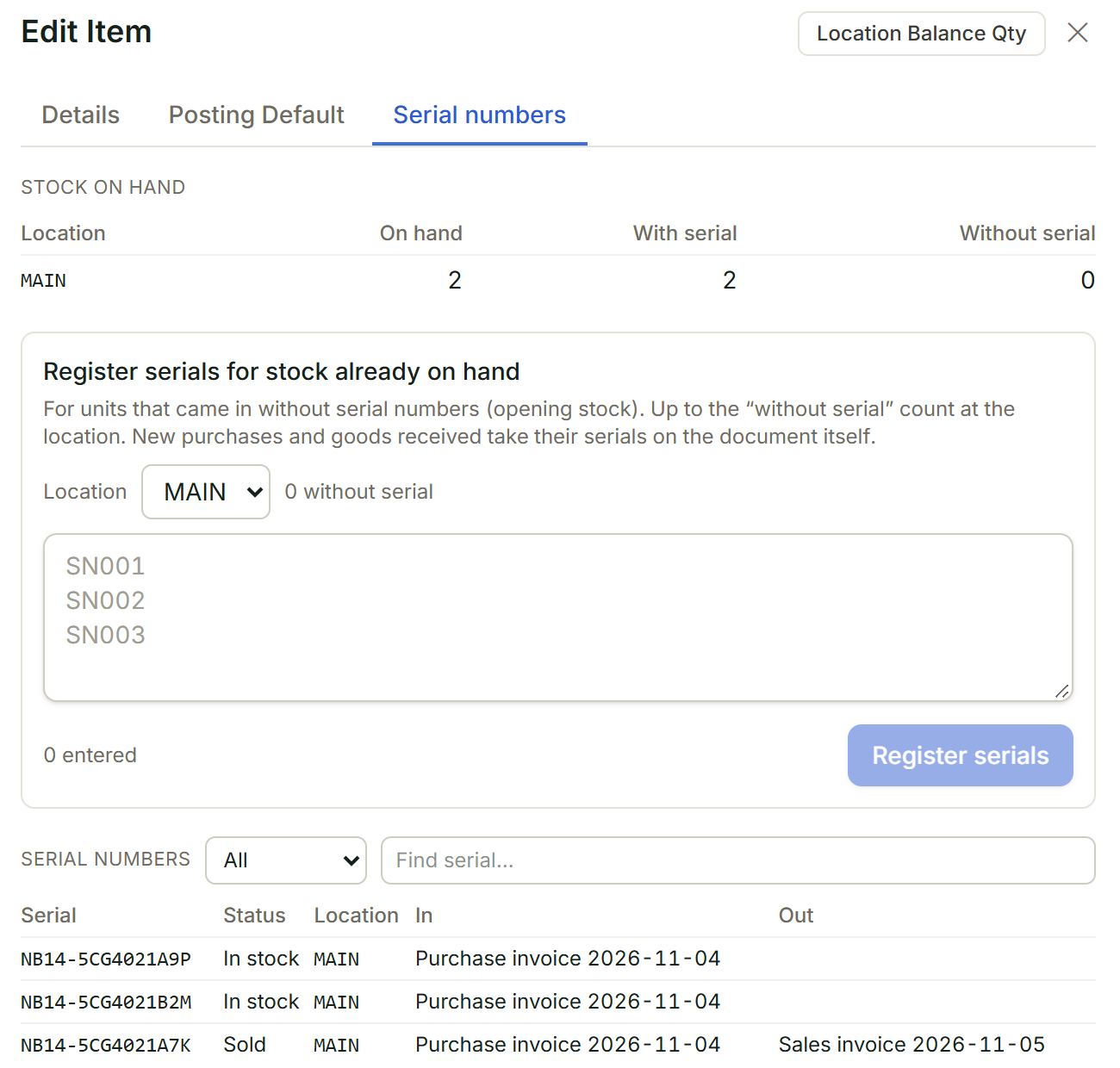
Serial numbers, unit by unit.
Sell one of three laptops and you know which one left, and on which invoice.
- Taken on the goods received note or purchase invoice.
- A sale must name serials in stock, or it is refused.
- Look up any serial: where it came in, where it went.
Snap the bill. OCR fills the form.
OCR reads the text on a photo or PDF: a bill, receipt, bank statement or customer PO becomes a draft to check.
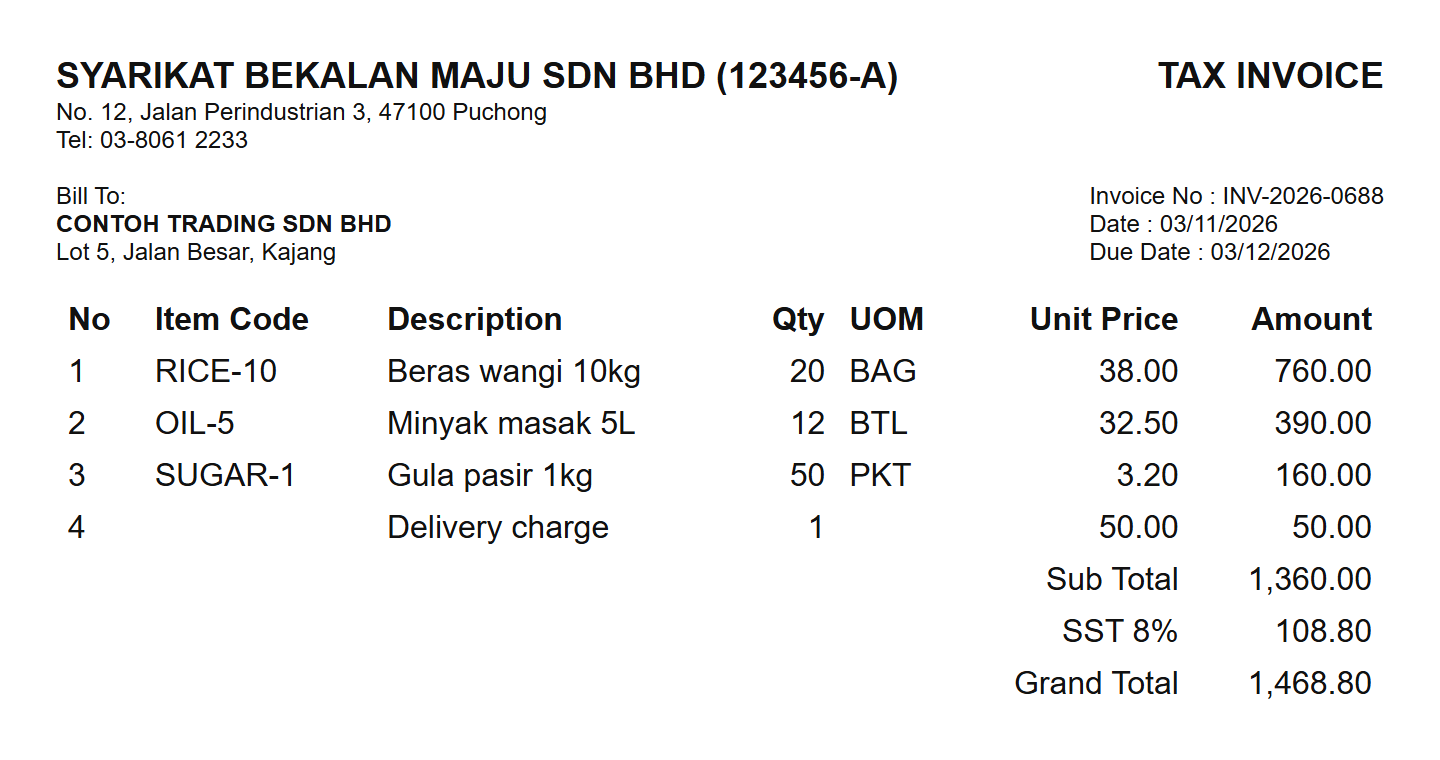
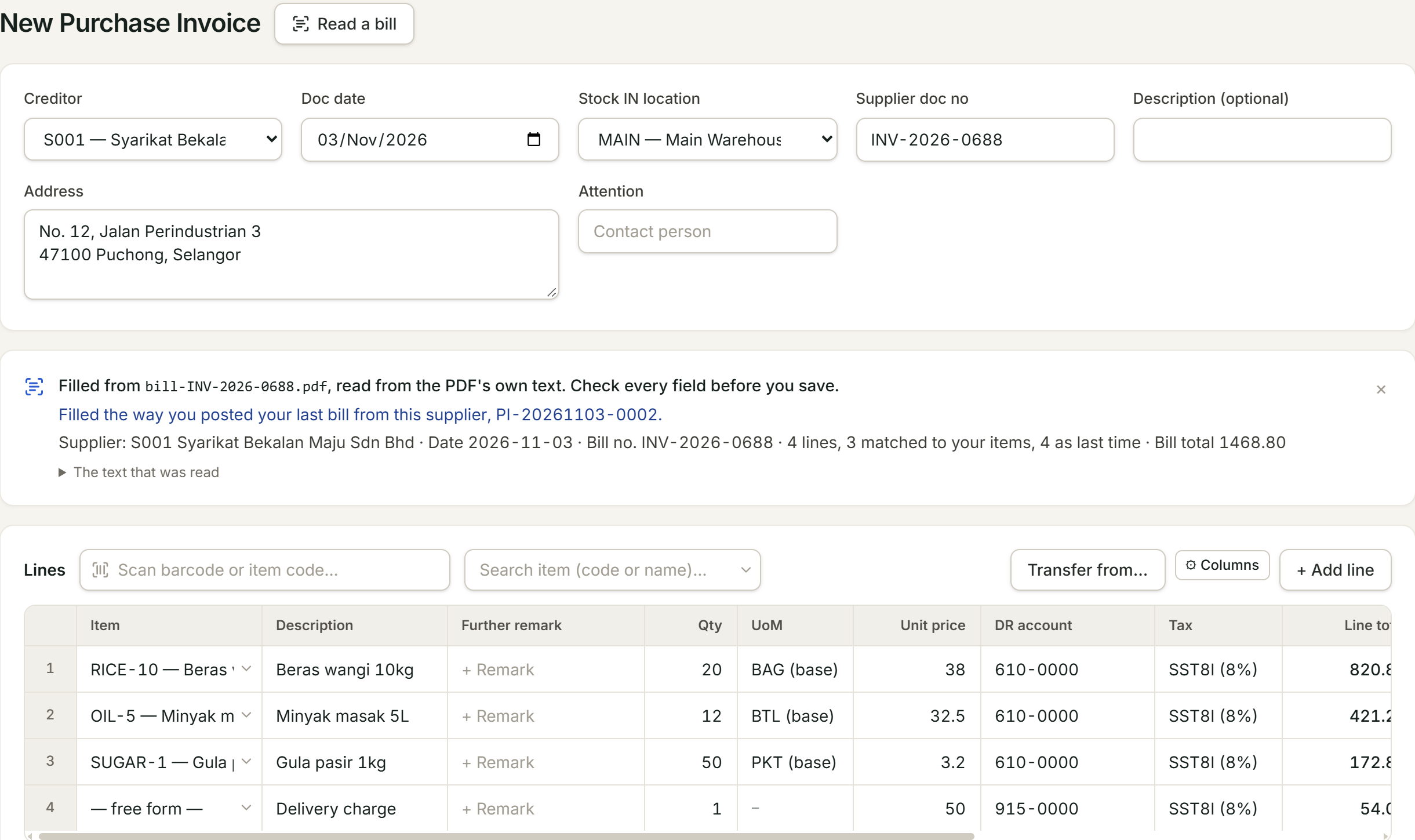
Matched to your books
Supplier, date, bill number and lines.
Remembers last time
Items and accounts as you posted the last bill.
Stops a double post
A bill already in your books is flagged.
e-Invoice to LHDN MyInvois, from the invoice list.
Submit, follow the status and cancel without leaving eaasycount.
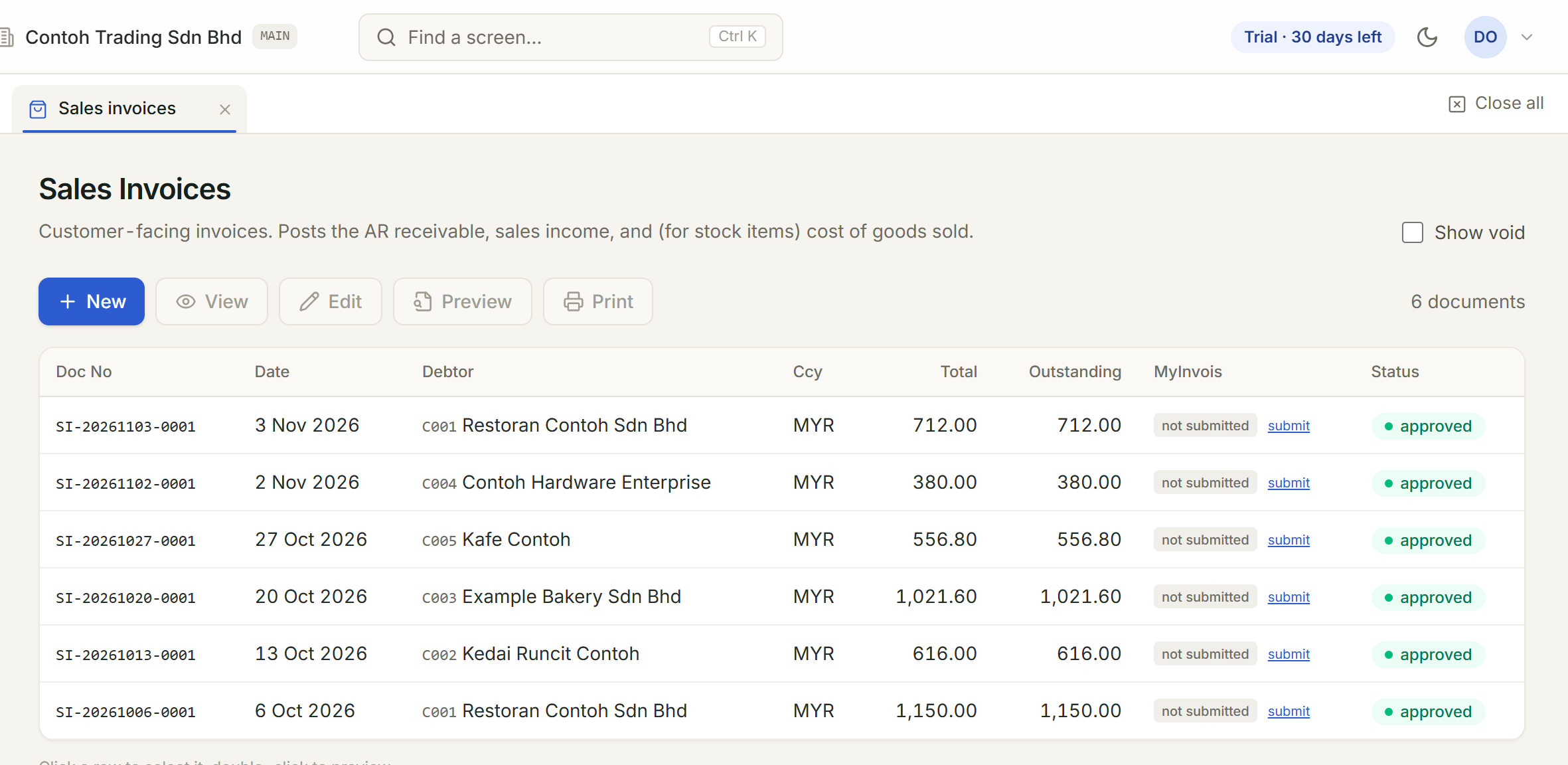
Submit in a click
Each invoice has its own Submit to MyInvois.
Status on every invoice
Checked with LHDN and shown beside each invoice.
Cancel when needed
Within LHDN’s 72-hour window, from the same list.
Payroll with Malaysia’s deductions built in.
Approve the run and the journal posts itself.
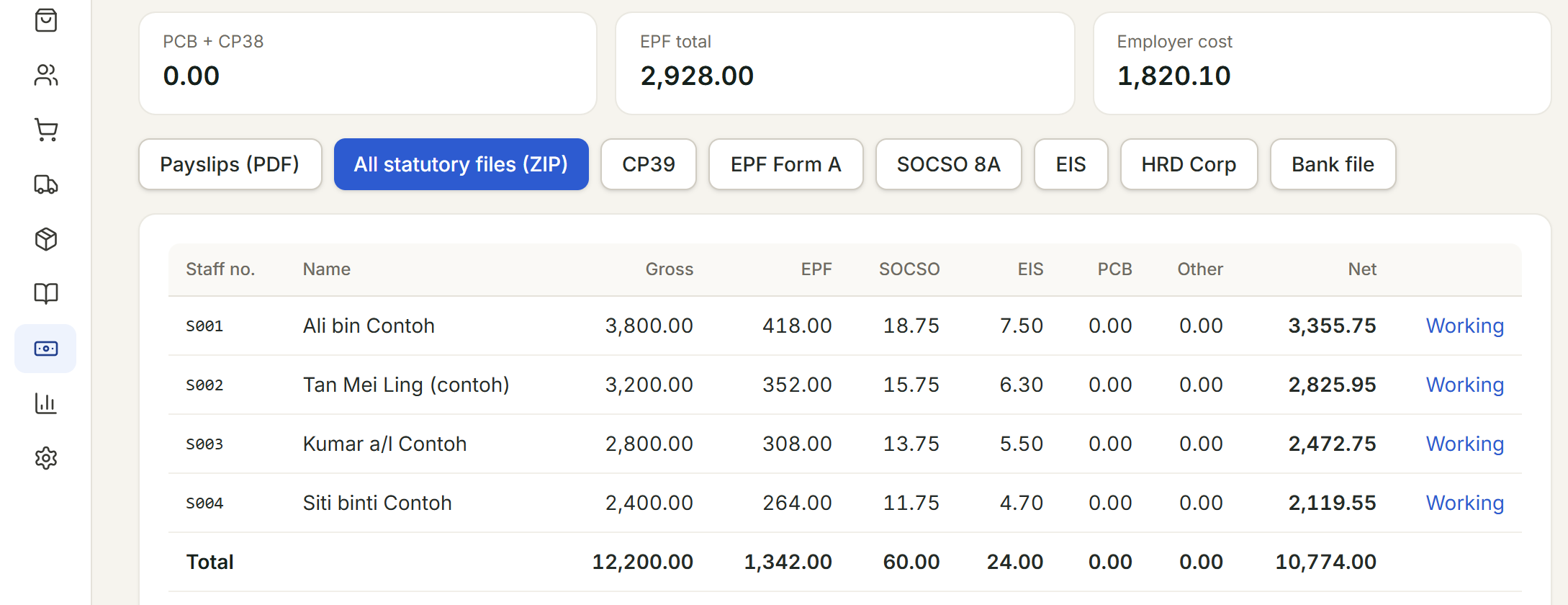
Statutory, worked out
EPF, SOCSO, EIS, PCB and CP38 for every employee.
Leave and overtime
Leave balances and overtime flow into the run.
Monthly and year-end files
CP39, EPF, SOCSO, EIS, bank file; EA forms, CP8D and Form E.
Everything a small business books.
| Part | What you do there |
|---|---|
| Sell | Quotations, sales orders, delivery orders, invoices and returns |
| Buy | Purchase orders, goods received, supplier invoices and returns |
| Stock | Locations, transfers, adjustments, stock card and valuation |
| Accounting | Journals, cash book, bank reconciliation and financial statements |
| Payroll | Employees, leave, monthly pay items, payroll runs and annual returns |
Try every part free for a month.
- Invoices, stock, accounts and payroll
- One company and three users
- No card to start